Work instructions
The Complete Guide to Work Instructions in Manufacturing
· Updated · 44 min read

Every plant needs the same thing, whatever it makes: clear, consistent guidance on how each task is done. That is the job of work instructions. They are the last-mile connection between planning and execution, turning a process design into steps an operator can follow at the station. This guide covers what work instructions are, why they matter, how to write them, who should write them, how to display them, and how to keep them accurate over time.
It is written for production managers, quality and process engineers, and anyone responsible for onboarding and training. The aim is practical: a system of work instructions that reduces errors, shortens training and holds up in an audit, and that operators actually use.
Foundations of work instructions
What are work instructions?
Work instructions are step-by-step directions that explain exactly how to carry out a specific task on the shop floor. Their purpose is to reduce confusion, improve accuracy and keep the method the same from one shift or site to the next. Good ones rely on visuals: photos, diagrams, short video clips. Used well, they become both the daily reference at the station and the backbone of training.
They vary in complexity. Some are a short sequence for a routine task. Others branch depending on the product variant, the machine status or the result of a check.
A work instruction is mandatory: it describes how the task must be done. If a document is optional support, such as a reminder card or a quick reference, it is closer to a job aid. The difference matters for document control. See work instructions vs job aids for more.
Work instructions vs SOPs
Work instructions are often confused with standard operating procedures (SOPs). An SOP describes a process at a higher level: what should be done, by whom, in what order and why. A work instruction describes how to do one task within that process.
In short:
- SOP = process-level guidance
- Work instruction = task-level instruction
An SOP might cover the process of assembling a component. The work instruction explains the exact wiring sequence. SOPs usually sit in the quality manual or policy documents; work instructions live closest to the point of execution. For a fuller comparison, see standard work instructions and standard operating procedures.
Why write work instructions: the four jobs they do
Product variety keeps rising and batch sizes keep shrinking. An operator may need to master many more variants than a few years ago, and remember each one correctly at the moment of work. At the same time, many plants have to bring new and less experienced people up to speed quickly. Both pressures land on the same document.
A useful way to think about work instructions is by the four jobs they do:
- Training. New employees learn the task from an expert, and the instruction is the shared reference both of them work from. The trainee learns the defined method, not one person's habits. Training is also a chance to check the content: the veteran confirms the steps, the new employee shows whether they can be followed.
- Reference. Once someone is trained, the instruction has to be there when a question comes up. That means easy to reach at the station and quick to read. Describe how the task is done. If background on why it is done is needed, keep it in a separate reference document rather than in the steps.
- Problem solving. When an internal or external nonconformance is found, the work instruction is one of the first documents to check. Does it define the process properly? If not, the root cause may sit in the document rather than with the person. An operator cannot be held fully accountable for following an instruction that was inadequately defined in the first place. Make the instruction review part of your corrective action process.
- Continuous improvement. Work instructions should not be documents that only come out when an auditor asks. Improvements come from reviews, audits, problem solving and, above all, from the people doing the work. Start from the current document and improve it before creating a new one. More documents do not mean more improvement.
Role in quality and compliance
Work instructions play a central role in quality systems such as ISO 9001 and IATF 16949, and in regulated industries such as medical devices and pharma. They form the execution layer: the point where the quality system meets the actual task. Without them, organisations risk inconsistent output, poor quality and audit findings.
Effective work instructions reduce variation in production outcomes and support audits by providing controlled, current documentation of how each task is performed. In medical devices, automotive and aerospace this is a requirement, not just good practice. The standards section below goes into detail.
Documentation hierarchy
A clear documentation structure keeps order and traceability. Each layer serves a different purpose:
- Corporate policies: High-level principles set by leadership. They state the organisation's commitments and rules that apply to all departments. For example, a policy might state that all manufacturing processes comply with ISO 9001.
- Standard operating procedures (SOPs): Process-level workflows and responsibilities. They bridge policy and task execution. For example, an SOP might define how a quality inspection is run, who is responsible and in what order things happen.
- Work instructions: Precise, task-specific guidance used by operators and technicians at the station. For instance, how to set up a specific machine or assemble a particular part, step by step, with photos or video.
- Checklists and forms: Tools that confirm tasks were completed and verified. They support traceability and accountability. A checklist might list inspection points for a finished product; a form might record a maintenance task or a training sign-off. See quality checklists and how to use them.
This layered approach ensures that corporate intent and regulatory requirements turn into daily action and verifiable results on the production floor.
Implementation across the employee lifecycle

Onboarding and training
New hires face a steep learning curve, especially in high-variety production. Work instructions, particularly video-based ones, make onboarding less dependent on who happens to be available to shadow.
How they are used:
- Training modules: Work instructions are combined into structured learning paths with quizzes and assessments, for example in REWO Courses.
- Self-guided practice: Trainees follow step-by-step instructions on a tablet to practise a task in a controlled setting.
- Blended instruction: Trainers use the same instructions during classroom sessions and hands-on walkthroughs, so what is taught matches what is done.
Published example: At Aluflexpack, shadowing was replaced with video instructions on tablets. New operators on basic machinery now train in five days instead of two to three weeks, without stopping production for training sessions.
When they are used on their own:
- For pre-boarding, so new starters can review basic tasks before their first shift
- As refreshers after classroom sessions
- For visual familiarisation with the line before entering production
For agency staff and workers who do not share the plant's language, see onboarding agency and foreign workers in manufacturing.
Daily operations and support
In daily work, instructions are not a backup. They are a frontline tool.
How they are used:
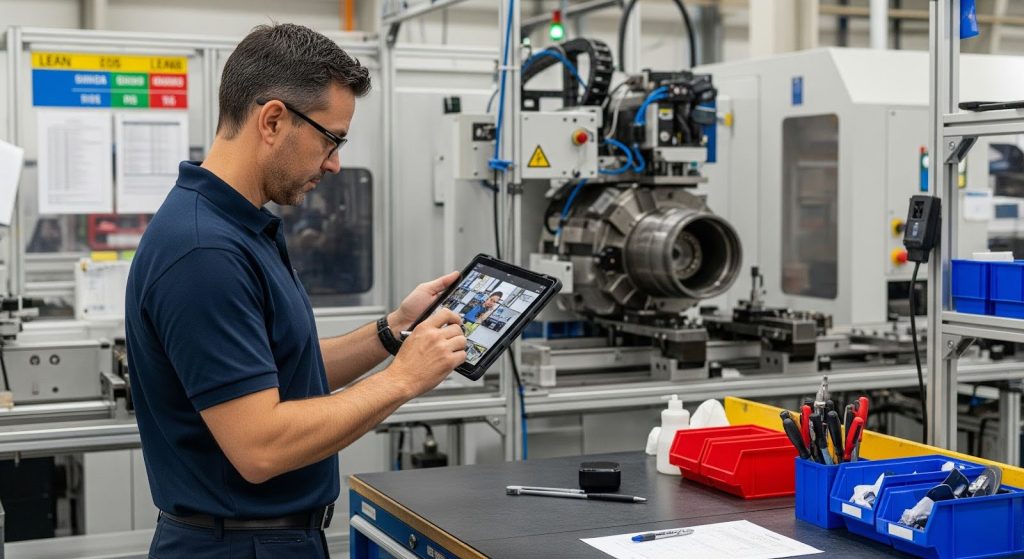
- At the workstation: A tablet or screen shows the instruction while the operator works through each step.
- Triggered access: Operators scan a QR code on the machine or station, or open the instruction from the work order, and land on the right task.
- Error recovery: When something goes wrong, the instruction is used to retrace steps and get back to the defined method.
When they are used on their own:
- For repetitive tasks, to keep the method consistent
- For infrequent or complex tasks that nobody remembers fully
- When switching between product variants
Cross-training, offboarding and retention
Cross-training makes a workforce more flexible and more resilient. Well-documented instructions are its foundation.
How they are used:
- Moving roles: Workers moving to a new task use instructions for just-in-time learning on the job.
- Knowledge capture: Before an experienced employee retires or moves on, record them doing the critical tasks and turn the recording into reviewed video instructions. Start with the tasks that only one or two people know. See what is tribal knowledge.
- Learning libraries: Cross-training programmes include curated sets of instructions so workers can build new competencies and be assessed on them. A skills matrix shows where those gaps are.
When they are used on their own:
- In self-directed upskilling
- When backfilling or covering for absence
- As part of offboarding and handover
A day in the life: an operator on an assembly line
The following is an illustrative day, not a case study. It shows where work instructions touch a typical shift.
Meet Marco, an assembly operator in an automotive plant.
06:30 – Shift start and handover. At handover, the supervisor points out a revised instruction for a new vehicle model: the torque specification on one joint has changed.
- Work instruction role: The change is visible in the current version, so nobody works from yesterday's printout.
07:00 – Station set-up. Marco scans the QR code on his workbench to open the set-up instruction for his torque tool and check gauges.
- Benefit: Set-up and verification steps are followed the same way on every shift.
07:30 – First run. Step-by-step instructions on the screen beside his station guide him through assembling a dashboard control module. He moves to the next step when the current one is done.
- Benefit: Fewer errors on a new build, and the same method across teams.
09:45 – A test failure. An end-of-line test rejects a module for a wiring fault. Marco scans the code for the troubleshooting instruction for that module.
- Benefit: Faster recovery, with less time waiting for help.
12:15 – Cross-training. Marco covers a nearby station for valve assembly. He follows the visual guide while a team leader observes.
- Benefit: Just-in-time training that supports flexible staffing.
14:00 – Flagging a problem. Marco notices that one photo does not show the connector orientation clearly. He flags the step from the instruction so the author can fix it.
- Benefit: The person closest to the work improves the document.
15:30 – End of shift. At the shift review, Marco mentions that a tooling change will affect another instruction. The team leader passes it to the process engineer.
- Benefit: Frontline knowledge keeps the instructions accurate.
Across the day, work instructions appear as a set-up guide, a step-by-step reference, a troubleshooting aid and a training tool. They link operations, engineering and quality around one current version of the method.
Creating effective work instructions
Structure and key elements
Good work instructions share a few core components:
- A clear title, version number and owner
- The purpose and scope of the task, and its expected output
- Tools, materials and safety equipment required
- Step-by-step actions with a visual for each key step
- Safety warnings and quality checkpoints at the step where they apply
Useful extras include the expected time for the task, troubleshooting tips and who to contact when something deviates from the instruction.
How to write a work instruction, step by step
- Define the goal. Decide what the instruction must achieve: a correct set-up, fewer errors at one step, a safe maintenance task. The goal shapes the format and the level of detail.
- Know your audience. Who will use it, how experienced are they, and what language do they read best? A new starter needs more detail than a veteran. A multilingual team needs more visuals and less text.
- Watch the task being done. Go to the station and watch the best operator do it. Note the steps, the tools and the points where people usually go wrong. Write from the task's perspective, not the machine's.
- Break it into steps. One action per step. Start each step with a verb: "Insert", "Tighten", "Check". For longer procedures, group steps into phases.
- Show, don't just tell. Add a photo, diagram or short clip for each key step. Mark the critical point on the image: the connector, the orientation, the gauge reading.
- Put safety and quality where they apply. Warnings and checkpoints go at the step they relate to, made visually distinct, not in a block at the top that nobody reads.
- Simplify and edit. Short sentences, roughly 15 words or fewer. No unexplained acronyms. If a step needs a long explanation, split it or show it.
- Review with the experts. Walk through the draft with the people who do the task and the people responsible for quality and safety. Check that it matches how the work is actually done.
- Test it. Ask someone who has not done the task to perform it using only the instruction. Watch without helping. Every hesitation shows a gap to fix.
- Release and share. Approve it, make it available where the task happens, and make sure old versions are withdrawn.
Write for the first-time reader
The person reading your instruction may be doing the task for the first time. Write for them. The author knows the task so well that obvious steps get skipped. Testing with a newcomer catches this.
Equally, be thoughtful about what to leave out. Give people the information they need to do the job right, not everything there is to know about the machine. Background theory, design rationale and rarely needed detail belong in a separate reference. A step that tries to cover every exception becomes hard to follow.
Formats
Work instructions can take several formats:
- Printed documents with annotated photos
- Video clips filmed from the operator's point of view
- Interactive digital guides on tablets or station screens
- Short checklists for routine, well-known tasks
Choose the format to fit the complexity of the task, the make-up of your workforce and the infrastructure on site. Many organisations use a mix: digital at the station, printed copies where devices are not practical. For when video works best, see why video is better than text for work instructions.
Best practices in content design
Aim for clarity and simplicity. Use plain, standardised language and avoid jargon unless it is the shop floor's own vocabulary.
Best practices include:
- A visual for each major step
- A design that works for both new and experienced users
- Content that works on a screen and can still be printed when needed
- A clear way for operators to flag a problem in the instruction
Use standard safety symbols, use colour coding with a second cue for accessibility, and keep a consistent layout. When every instruction looks the same, people know where to find what they need.
Recording video instructions
Video shows motion, force and sequence in a way photos and text cannot. A few rules keep it useful:
- Plan the shots. List the steps before you film. Each step becomes its own short clip.
- Film from the operator's view. Shoot over the shoulder or from where the operator stands, so the viewer sees what they will see.
- Light it well and keep it steady. Good lighting and a stable camera matter more than an expensive camera.
- Add captions. Shop floors are noisy and many operators watch with the sound off. Short on-screen text carries the key point.
- Keep it short. Operators look at a clip while working. If they have to scrub through minutes of footage to find a step, they will stop using it.
More detail in mastering video recording for work instructions.
Four things to avoid
Don't create work instructions that are:
- Long and unclear.
- Hard to reach at the point of work.
- Written by someone who does not know the task.
- Difficult to keep up to date.
Who writes work instructions
What makes a work instruction good is how well the people doing the task can use it. So the question of who writes it matters as much as how it is written.
The person who knows the task best
The content should come from the person most experienced in doing the task. Do not hand the job to someone who is not fully familiar with the work. An engineer who has never run the line, or a new operator still learning it, cannot be expected to write the instruction to its full potential.
Engineers often write instructions from the product's or machine's perspective: parts, functions, specifications. Operators need the task's perspective: what to do, in what order, what to watch for. The best instructions are written from the user's side.
Usually a team, not one person
Except in very small companies, it is rarely one person. In most plants, the work is shared:
- Process or manufacturing engineers usually own the instruction. They define the method, keep the document current and update it after engineering changes. In manufacturing, process engineers are also typically responsible for SOPs.
- Experienced operators and team leaders supply the real method, the tricks and the known failure points, and often record the video. They also test the draft.
- Quality checks that the instruction meets the quality system and customer requirements, and usually approves the release.
- Health, safety and environment reviews safety-critical steps, PPE and lockout requirements.
- Training or L&D builds the instructions into onboarding and cross-training.
A practical split is author, reviewer and approver. The author drafts and captures; a subject matter expert and supervisor review against how the work is actually done; quality approves. Two-step approval like this keeps an unchecked change from reaching the line.
Who writes SOPs?
Ideally, SOPs are written by a cross-functional team. In reality, they are often drafted by one person, usually a process engineer or a quality engineer. If so, that person should interview someone who does the job, a supervisor, and the people responsible for quality, health, safety and environmental requirements. Before release, people from the affected areas should review and comment.
SOPs should also be clear and concise. Most people read an SOP because they have to, not because they want to. Short sentences and a clear structure make that easier.
Capturing instead of writing
Writing is often the bottleneck. Engineers are busy, and experienced operators may not enjoy writing. Recording the task on video and adding short captions lowers the barrier: the operator shows, the engineer edits and checks. Some teams also use AI to draft step text from a recording or an existing document, with a person reviewing every step before release.
Cost is part of the decision too. At Kolektor, instructions cost about €78 each, a 65%+ lower cost than in-house engineers.
Whoever writes it, start with the person doing the job. Instructions designed to impress auditors or show off technical knowledge rarely help an operator. Compliance matters, but an instruction that operators cannot follow does not deliver it.
How to display work instructions at the station
A well-written instruction that sits in an office folder does not help anyone. How you display it decides whether it gets used.
Paper and binders
Paper is where most plants start, often with Word or Excel templates. It needs no devices and works anywhere. Templates also give a consistent layout without design effort.
The problems come with change. Every update means editing, reprinting and replacing every copy. Copies multiply, and old versions stay in drawers and on walls. Binders often sit away from the station, so operators work from memory instead. Paper also cannot show motion.
Paper still has a place for stable, simple tasks and as a fallback. If you use it, control it: one owner, numbered copies, and a visible version and date on every page.
Screens and tablets at the station
A screen at the station keeps the instruction in the operator's line of sight. Tablets work for shared stations, maintenance and training; fixed screens work for stations where the same operator works all shift.
Practical points:
- Mount the screen where the operator can see it without leaving the work position.
- Make sure it can be used with gloves, or offer a hands-free way to move between steps.
- Check Wi-Fi coverage at every station before rollout.
- Plan charging, cleaning and replacement for tablets.
- Size text and images to be readable from the working distance.
QR codes at the station or machine
A QR code on the machine, fixture or station opens the right instruction with one scan. The code does not change when the content does, so the operator always lands on the current approved version. This removes the main weakness of paper without having to wire every station.
QR codes also link paper and digital. A printed PDF with a QR code on it leads back to the live version, so a paper copy is never a dead end. More in the use of QR codes in manufacturing.
Inside the MES or ERP
In plants with an MES, the instruction can open from the work order. The operator starts the order and the right instruction for that product and operation appears, without searching.
Published examples:
- At Coloplast, REWO is embedded in its internally developed MES as the delivery layer for QMS documentation. Updates reach every production point at once, document distribution takes around 85% less time, and the same instructions supported a production-line transfer to Costa Rica.
- At VHIT, printed instructions were replaced by a document layer inside the MES. Approved updates reach every shift immediately, and each review is recorded against the operator's badge.
- At Hidria, standard work is on video and opened from MES terminals. By internal estimate, new operators reach competency 30–40% faster.
Choosing a display method
| Method | Works well for | Watch out for |
|---|---|---|
| Paper and binders | Stable, simple tasks; places with no devices | Old versions in circulation; reprinting every change |
| Screens at the station | Fixed stations, step-by-step assembly | Mounting, readability, gloves |
| Tablets | Shared stations, maintenance, training | Charging, damage, Wi-Fi coverage |
| QR codes | Machines and stations without a fixed screen | Codes must be placed where the task happens |
| Inside the MES or ERP | Plants already running work orders through the MES | Integration effort; content still needs an owner |
Whatever you choose, the rules are the same: one tap or scan to open, the current version only, the version visible on screen, and the instruction in sight while the work is done.
Driving operator engagement
Behavioural strategies
Providing instructions is not enough. People use them when using them is the easiest path and when it is recognised.
Practical strategies:
- Put the instruction in the path of the work. Open it from the work order or a QR code at the station, so finding it takes no effort.
- Recognition: Acknowledge operators who flag problems or suggest improvements. Some plants use points or monthly recognition. Keep it simple and fair.
- Peer mentoring: Name experienced operators as instruction champions who coach new team members and model use.
- Small incentives: Small, visible rewards for useful feedback can help early adoption.
- Instruction check-ins: Supervisors ask about the instructions in daily stand-ups and on gemba walks: are they being used, and are they right?
Cultural integration
Long-term use depends on how well instructions are built into the team's routines.
Tactics:
- Shift handover: Make reviewing new or changed instructions part of every handover.
- Toolbox talks: Use team meetings to discuss instruction clarity, changes and operator feedback.
- From feedback to recognition: Show publicly when an operator's suggestion changed an instruction.
- Onboarding stories: Use real examples from your own plant in training to show how following the instruction prevented a problem.
- Framing: Present instructions as the tool for doing the job well, not as a control mechanism.
Communication and leadership
- Supervisors set the example. If leaders refer to the instructions visibly and regularly, others will too.
- Open feedback channel. Make it obvious how to report a problem, for example a flag on the instruction itself or a QR code linked to a short form.
- Cross-functional visibility. Share instruction updates and improvements across departments so ownership is shared.
Long-term adoption
- Usage data: Review which instructions are opened and confirmed, and which are not. Share it in team reviews.
- Lifecycle reviews: Review adoption as well as content.
- Operator-led improvements: Invite operators to co-author and revise instructions, especially after process changes.
When operators see instructions as useful tools rather than mandates, they become active participants in quality, safety and efficiency. Engagement is not a one-off rollout. It is a habit built on trust, feedback and shared goals.
Accessibility and localisation

Multilingual and cultural considerations
In multinational and diverse workforces, communication goes beyond translation. Localisation adapts terminology, symbols and format to the people using the instruction.
Strategies:
- Shop-floor terminology: Make sure translated terms match what people actually call things on the line, not just the dictionary word.
- Symbols and colours: Some icons and colour cues carry different meanings in different regions. Test them.
- Test comprehension: Ask bilingual employees to check that the translated instruction says what the original says.
- Flexible formats: Where reading skills vary, rely more on video, photos and pictograms than on text.
Visuals reduce reliance on translated text, but they do not remove it. Captions, warnings and checkpoints still need to be in a language the operator understands. IATF 16949, for example, expects operator instructions to be in a language understood by the people using them. At Aluflexpack, verbal instruction in Croatian often did not land with international employees, which was one reason for moving to video. On machine translation, see how AI language models translate without losing meaning.
Digital accessibility and inclusion
Instructions should work for people with different physical and cognitive abilities.
Best practices:
- Use clear, readable fonts and high-contrast layouts
- Support screen readers and keyboard navigation in digital tools
- Offer audio narration and subtitles
- Never use colour as the only way to convey meaning
These choices help everyone, not only those who need them: a high-contrast screen is easier to read under factory lighting, and subtitles help in a noisy hall.
Change management and rollout

Introducing instructions to the workforce
Rolling out new or revised work instructions is a change management task. Success depends on clear communication, early involvement and ongoing reinforcement.
Best practices:
- Explain the why: Start with the purpose: fewer errors, faster training, a cleaner audit.
- Create ownership: Involve operators and team leaders in reviewing drafts and recording video.
- Connect to real work: Show how the instructions match actual tasks, not theoretical processes.
- Name champions: Identify peer mentors who guide and model use during the rollout.
Pilots and communication
A pilot lets you test, refine and build momentum before a wider rollout.
How to run a good pilot:
- Choose a single line, shift or product family.
- Track use through access records, operator feedback and the errors you already record.
- Hold feedback sessions at fixed points, such as end of shift or weekly.
- Adjust format, visuals or delivery based on what operators say.
Scaling up:
- Share the pilot results across the company: what changed, what operators said, what concerns came up.
- Roll out in waves by line or department.
- Plan refresher touchpoints after rollout.
Messaging:
- Use the same language in every channel: meetings, notice boards, screens.
- Present instructions as something that helps people do the job, not just a requirement.
- Celebrate improvements that came from the team.
Monitoring and sustaining adoption
After rollout, the focus moves to keeping instructions in use and improving them.
Sustainment:
- Run short operator surveys every few months.
- Keep a simple way to suggest edits or new topics.
- Review which instructions are used most and least.
The manager's role:
- Include instruction use in daily check-ins.
- Require instruction updates as part of every engineering change and kaizen event.
Overcoming resistance to change
New instructions often meet resistance. It is rarely about the content. It is about how the change is perceived.
Common barriers:
- Fear of surveillance: Workers may see digital instructions as micromanagement.
- Lack of trust in the source: Instructions written without experienced operators may be seen as disconnected from reality.
- Change fatigue: Where procedures change often, people ignore new versions out of habit.
Strategies:
- Co-creation: Involve operators in writing content and recording video.
- Peer endorsement: Ask respected team members to lead by example.
- Show the impact: Share concrete improvements tied to the instructions, such as fewer defects or shorter training.
Resistance usually drops fastest when the instructions visibly come from colleagues: a respected operator demonstrating the method on video, in the team's own language, does more than any announcement.
Training the trainers
Supervisors and peer mentors decide whether new instructions are adopted or ignored.
How to prepare champions:
- Short training sessions: Review the content, its purpose and how to guide others.
- Support materials: Provide a short FAQ or walkthrough to help them answer questions.
- Dry runs: Let them practise with the tools on a mock or low-risk task.
Key message: Trainers should not just enforce compliance. They should build understanding, model use and encourage knowledge sharing.
Rollout readiness checklist
Before launching a new instruction system or a major update, check:
- Content has been reviewed by subject matter experts and operators
- Devices, screens and QR codes are in place and tested
- A feedback route is in place, digital or on paper
- Champions and supervisors have been trained
- Instructions have been validated in a live run
- Version control is active and traceable
- A communication plan is ready and approved
Use this list as a sign-off step before any release.
Change metrics and evaluation timeline
Measuring the rollout keeps leadership support and shows where to improve.
Suggested metrics:
- Access rate: How often are instructions opened?
- Confirmations: Are users confirming they have read the current version?
- Training time: Has the time to train a new starter changed?
- Error and defect rates: Are fewer mistakes being reported at the affected steps?
- User feedback: Do operators find the instructions helpful and easy to use?
Evaluation timeline:
- After two weeks: Collect first impressions and early feedback.
- After 30 days: Review usage, collect examples and make small fixes.
- After 90 days: Assess the effect on performance and long-term adoption.
Share the results in team briefings and management reviews.
Measuring effectiveness
Why measuring matters
Work instructions only add value if they are used and if they work. Without measurement, outdated or unclear instructions can go unnoticed and quietly undermine safety, quality and training.
Measurement helps you:
- See which instructions work and which do not
- Validate process changes
- Justify further investment
- Involve teams in data-driven improvement
What to measure and what it tells you
1. Task completion time before and after an update
- Shows whether the instruction makes the task easier.
- Points to clarity problems in practice.
2. First-pass yield (FPY)
- The share of units completed without rework.
- A rising FPY at a step suggests the instruction is preventing mistakes.
3. Rework and scrap rates
- Highlight cost and quality problems linked to confusion or inconsistency at specific steps.
4. Instruction access rate
- How often instructions are opened at the station.
- Low access may mean lack of trust, poor visibility or irrelevance.
5. Where people pause
- If your system records time per step, long pauses show where users struggle.
- Useful for refining complex tasks.
6. Assessment scores
- Check what trainees retained from training built on the instructions.
- Help training teams improve the onboarding flow.
7. Feedback volume and themes
- Show how engaged operators are.
- Recurring themes point to needed fixes.
8. Time to proficiency
- How long it takes a new employee to do the task independently.
- Especially important where turnover is high.
How to act on the data
Collecting data is only the first step. Improvement comes from acting on it:
- Prioritise updates to instructions with high error rates or low use.
- Share improvements in team meetings and on visual boards.
- Use the metrics in instruction lifecycle reviews.
- Show the last-updated date on every instruction.
Continuous improvement and ownership
Roles and responsibilities
Keeping instructions effective is not a one-person job. It needs ongoing collaboration:
- Subject matter experts: Ensure technical accuracy and validate content when equipment, processes or materials change.
- Supervisors: Confirm the instruction works on the floor and matches current reality.
- Quality teams: Check compliance with requirements and support traceability.
- Training teams: Build instructions into onboarding, cross-training and skill progression.
- Operators: As the users, they are the first to see unclear or outdated steps.
This shared ownership is the same team described in the "Who writes work instructions" section above, extended over the whole life of the document.
Scheduled reviews and version control
Work instructions must change as operations change. Without a formal review process, outdated content causes errors and audit findings.
Review cadence:
- Quarterly for high-impact or high-variability tasks
- Twice a year for stable, routine processes
- Immediately after engineering changes, audit findings or incidents
Version control essentials:
- Keep a history of revisions, including date, author and reason for change.
- Show the current version on every instruction.
- Make sure operators can only access the current approved version at the point of use.
Digital platforms make this easier. In REWO, every instruction has a version history and goes through two-step approval before release, so only the approved version reaches the station.
Integrating feedback and usage data
Continuous improvement depends on a loop of real-world input and refinement.
Ways to collect feedback:
- A way to flag a problem directly on the digital instruction
- QR codes linking to a short suggestion form
- Instruction checks during gemba walks
Using the data:
- Instructions that are rarely opened may be irrelevant or hard to find.
- High error or rework rates at a task should trigger a review of its instruction.
- Operator comments show where wording or visuals cause confusion.
Encouraging participation:
- Recognise people who contribute useful improvements.
- Show what changed because of feedback.
- Make frontline input part of your kaizen culture.
With shared ownership and regular iteration, work instructions stay aligned with daily operations and resilient to change.
Risks of poor implementation

Operational risks
When instructions are outdated, unclear, incomplete or inconsistently used, operations suffer.
Key risks:
- More production errors: Missing or vague steps lead to inconsistent execution, scrap, rework and defects.
- Unsafe behaviour: If safety-critical steps are not emphasised, the risk of injury rises.
- Unplanned downtime: Misunderstood set-up or maintenance tasks can delay production or damage equipment. See the true cost of downtime from human error.
A typical failure: a critical check is buried in a dense paragraph instead of being its own step. It gets skipped, and the defect is only found at the customer. The fix is in the design: every critical check gets its own step, its own visual and a clear marker.
Compliance and regulatory risks
In regulated industries such as medical devices, automotive and aerospace, poorly controlled instructions have serious consequences.
Key risks:
- Audit findings: Missing or outdated documentation leads to nonconformities in internal, customer and certification audits.
- Certification at risk: Repeated or major nonconformities against ISO, IATF or GMP requirements can threaten certification.
- Regulatory action: Regulators can require corrective action when documentation does not meet requirements.
A common finding is an obsolete version still in use on the shop floor. Controlled distribution and withdrawing old copies are basic requirements in every quality standard, and paper makes them hard to guarantee.
Cultural and organisational risks
Poor instructions also damage how teams work.
Key risks:
- Loss of trust: When operators find instructions irrelevant or wrong, they fall back on workarounds and tribal knowledge.
- Inconsistent practice: Without a single source of truth, the same task is done several different ways.
- Low engagement: If operators are not involved in updates, they see instructions as disconnected from real work.
- Turnover: People who feel unsupported, or blamed for avoidable errors, are more likely to leave.
- Leadership blind spots: Leaders may assume the documented method is followed, while practice on the floor has drifted.
The warning sign is handwritten notes taped next to the official instruction. They show the official version no longer matches the work. Treat them as feedback, not as a discipline issue.
Organisational impact
The consequences spread beyond output.
Direct consequences:
- Financial loss from scrap, rework and penalties
- Safety incidents from missed or misunderstood steps
- Downtime from poor set-up or missed preventive maintenance
- Audit findings and certification risk
Long-term effects:
- Lower morale and retention
- Longer onboarding and higher training costs
- Inconsistent execution across shifts and sites
- Greater exposure to product and compliance failures
Poor instruction control undermines everything from lean initiatives to customer satisfaction. It is a business risk, not just a documentation weakness.
What good looks like
Strong implementation has a few visible traits:
- Instructions are part of the daily workflow, not just audits and training.
- Operators use them and give feedback.
- The content matches how work is actually done.
- Ownership of updates is clear.
- Instructions are controlled, traceable and easy to reach across teams and sites.
Organisations that treat instructions as living, shared tools rather than static documents tend to see higher engagement, fewer errors and faster onboarding.
Standards and regulatory requirements
Work instructions are also how many organisations meet quality and safety standards. Here is how the main standards treat them. Always check the current edition and your customer-specific requirements.
ISO 9001 (quality management systems):
- Requires organisations to maintain the documented information needed to plan, operate and control their processes (clause 7.5).
- Under control of production (clause 8.5.1), documented information defining the activities to be performed must be available where needed.
- Work instructions are the usual way to meet this for tasks that affect product conformity.
IATF 16949 (automotive):
- Builds on ISO 9001.
- Clause 8.5.1.2 covers standardised work: operator instructions must be communicated to and understood by the people doing the work, be legible, be in a language they understand, and be accessible at the work area.
- Links work instructions to risk analysis, the PFMEA and the control plan. See IATF 16949 work instructions at the workstation.
ISO 13485 (medical devices):
- Requires production to be planned and controlled, including documented procedures and methods where needed (clause 7.5.1).
- Places strong emphasis on traceability and records of production, inspection and testing.
FDA 21 CFR Part 820 (medical devices, US):
- Since February 2026, Part 820 is the Quality Management System Regulation, which incorporates ISO 13485 by reference.
- Requires production and process controls, including documented instructions where needed, so devices conform to specifications.
GMP (pharmaceuticals and related sectors):
- Required by regulators such as the EMA, FDA and WHO, for example under EudraLex Volume 4 in the EU.
- Requires documented instructions for operations, controlled, reviewed, approved and archived throughout their lifecycle.
- Ensures processes are followed consistently and can be audited.
21 CFR Part 11 and EU GMP Annex 11 (electronic records):
- Govern how electronic records and signatures, including digital work instructions and confirmations, are created, signed and stored.
- Focus on integrity, traceability and audit readiness.
AS9100 (aerospace):
- Builds on ISO 9001 with aerospace-specific requirements for production control, configuration and safety.
- Documented work instructions are the usual way to meet these requirements.
ISO/TS 22163 (rail):
- Based on ISO 9001 for the rail sector.
- Expects controlled, process-based documentation, including work instructions for product realisation.
IEC 61511 (process industry functional safety):
- Covers safety instrumented systems.
- Requires documented procedures for operation and maintenance tasks related to functional safety.
ISO 22000 (food safety):
- Requires documented control measures to prevent food safety hazards; task-level instructions are a common way to implement them.
ISO 45001 and occupational safety law:
- ISO 45001 calls for documented information on operational controls where needed to manage health and safety risks.
- In the EU, the Framework Directive 89/391/EEC requires employers to give workers appropriate instructions. In the US, OSHA regulations require many safe work practices to be documented and followed.
ISO/IEC 17025 (testing and calibration laboratories):
- Applies to labs doing quality control or product validation.
- Requires documented procedures for test methods, calibration and checks.
AIAG-VDA FMEA Handbook:
- Guides risk assessment in automotive and wider manufacturing.
- Work instructions often appear as prevention controls in the process FMEA.
ISO/IEC 27001 (information security):
- Becomes relevant when instructions contain sensitive IP or customer data.
- Requires access control, retention and integrity measures for the documents.
The common thread: every standard expects documentation that is accurate, current, controlled and available where the work is done. Digital instructions make that easier to show, but they do not make an organisation compliant on their own. For writing instructions to satisfy auditors, see ISO-compliant work instructions.
Digital transformation of work instructions
Labour shortages, rising product variety, multi-site operations and stricter customer requirements all put pressure on paper-based instructions.
Why it matters:
- Speed of change: When a product or process changes, a digital instruction can be updated and released once, and every station sees the new version.
- Scale: Across sites and regions, one controlled set of instructions keeps the method consistent. See standardising work instructions across plants.
- Workforce: Many newer workers are used to learning from short videos and expect information on a screen rather than in a binder.
- Traceability: Digital systems record who viewed and confirmed which version, which makes audits easier to prepare.
The cost of waiting: Paper-based systems keep the same problems: rising training effort, inconsistent execution and old versions in circulation.
Why start with work instructions:
- They directly affect quality, safety and productivity.
- Every operator, technician and trainer uses them daily.
- Improvements are quickly visible.
- They touch many KPIs, from scrap to audit readiness to onboarding time.
Digital work instructions are a practical, low-barrier starting point for wider digital projects. They build the habits and the trust that later systems depend on.
What digital platforms do
Modern platforms treat instructions as living documents rather than static files.
Core capabilities to look for:
- Instructions built from video, images and text
- Controlled release with approval and version history
- Delivery at the station by QR code or from the MES or ERP
- Records of who viewed and confirmed which version
- Translation into the languages your workforce uses
Moving to video
Video is becoming the standard format for capturing and transferring hands-on knowledge.
Why video helps:
- Less dependence on text: Showing the task reduces reliance on reading and translation.
- Realism: Operators see the task done in the real environment, on the real equipment.
- Faster learning: New employees can learn with less one-to-one supervision.
- Scale: One expert's method can be shared across shifts and sites.
The case studies below show what this looked like in practice.
Connecting to MES, ERP and LMS
Instructions are most useful when they are connected to the systems people already work in:
- MES or ERP: A work order opens the right instruction for the product and operation, so the operator does not have to search.
- LMS and skills matrix: Training results built on the instructions feed the systems where you track qualifications.
Connection reduces searching, keeps the version consistent and makes it easier to show who was trained on what. The display section above covers the options at the station in detail.
Real-world case studies
MANN+HUMMEL: one method across plants and shifts
MANN+HUMMEL found the same work was learned and done differently across plants and shifts. It now uses video instructions for training, changeovers and everyday reference.
Results:
- Changeover inefficiency down 15%
- Up to 50% less training time on certain skills
Scanreco: paperless and audit-ready
Scanreco moved its instructions to REWO.
Results:
- Paperless instructions
- Centralised access across departments
- Customer audits became easier
Kolektor: lower cost per instruction
Results:
- About €78 per instruction
- More than 65% lower cost than in-house engineers
Innovation and future trends

New technologies are changing how instructions are created and delivered. Manufacturing tends to adopt them carefully because of regulation, legacy systems and the cost of mistakes. That caution is healthy: a new tool has to prove itself on the line.
AI, AR and connected equipment
- AI-assisted authoring can draft step text from a video or an existing document, suggest translations and point to unclear wording. A person still needs to review and approve every step before it reaches the line.
- Augmented reality overlays guidance onto equipment. It can help for specific tasks, but hardware cost, comfort and content effort mean it remains niche on most shop floors.
- Connected equipment may increasingly trigger the right instruction based on machine status or product type.
The common goal is to deliver the right guidance at the right moment, with less searching and less mental load for the operator.
Adaptive instructions
In future, instructions may adapt to the person using them:
- Skill level and experience
- Preferred language and format
- Recent errors at a given task
An operator new to a machine set-up might see a full video with annotations, while a veteran sees a short checklist. This could reduce training fatigue for experienced workers and support new ones better. The challenge will be keeping every variant controlled and approved.
Auditing and maintaining work instructions
Processes, equipment, regulations and the workforce all change. Instructions that were right last year can quietly become wrong. Regular audits catch this before it causes errors, downtime or nonconformities. They are also a chance to collect frontline feedback, review usage and check whether instructions are followed consistently.
Work instruction audit checklist
Use this list for a regular review:
- Is the instruction linked to a current SOP or requirement?
- Are the title, owner and version clearly shown?
- Are the visuals present, current and relevant?
- Are safety warnings accurate and visible at the right step?
- Is the process still valid and unchanged?
- Are quality checkpoints included?
- Is the language suitable for the people using it?
- Has it been reviewed by a subject matter expert and a supervisor?
- Has operator feedback been collected and addressed?
- Is access controlled, so only the current version is available?
- Are training and confirmations recorded?
- Has it been considered in recent audits or incident reviews?
- Are changes documented and traceable?
Regular audits keep instructions a living tool rather than a forgotten document.
Where REWO fits
REWO is a digital work instruction platform for manufacturers. Teams build guides from video, images and text, release them through two-step approval with full version history, and deliver them at the station by QR code or inside the MES or ERP. Courses turn instructions into learning paths with pass criteria and certificates, and Analytics records who viewed and confirmed which version, when.
Conclusion
Work instructions are the bridge between process design and real-world execution. When they are well written, written by the right people and displayed where the work happens, they reduce errors, improve safety, shorten training and support compliance.
With the right tools and a habit of continuous improvement, instructions become living documents that change with your operations. They turn knowledge into consistent action across shifts and sites.
Investing in better work instructions is not just about documentation. It is about consistent quality, capable people and operations that hold up when things change.
Glossary
- Work instruction: A task-specific guide that explains exactly how to perform a job or step, often with photos or video. Lives closest to the point of execution.
- SOP (standard operating procedure): A process-level document describing what should be done, by whom and why. Work instructions support SOPs at task level.
- Checklist: A tool used to verify task completion, often part of a quality or safety process.
- Form: A document used to capture data during or after a task, such as training sign-offs or maintenance records.
- SME (subject matter expert): A person with deep knowledge of a task or process, responsible for validating instruction content.
- First-pass yield (FPY): The share of units produced correctly without rework.
- Rework: Corrections made to a product because of a defect or error.
- Scrap rate: The share of material discarded because of errors.
- ERP (enterprise resource planning): A system that manages company-wide resources and operations.
- MES (manufacturing execution system): A system that tracks and documents production on the shop floor; work orders in the MES can open the right instruction.
- LMS (learning management system): Software used to deliver and track training.
- AR (augmented reality): Technology that overlays digital content onto the real environment, via glasses or a tablet.
- AI (artificial intelligence): Can assist with drafting, translating and reviewing instructions, with human approval.
- IoT (internet of things): Connected equipment and sensors that share data.
- Version control: Managing changes to instructions so only the current approved version is used.
- Audit trail: A record of instruction revisions, approvals, views and confirmations used for compliance.
- Kaizen: Continuous improvement, in which operators often help improve instructions.
- Gemba walk: A practice where leaders go to the shop floor to observe how work is actually done.
- Localisation: Adapting instructions to different languages and cultural conventions.
- Adaptive instruction: Instruction content that adjusts to the user's skill, performance or language.
- Digital work instruction (DWI): A work instruction delivered electronically, often with video, and version-controlled.
- Tribal knowledge: Unwritten know-how held by experienced employees and not captured in official documentation.
- Onboarding: The structured process of bringing a new employee into their role.
- Skills matrix: A tool that maps employee capabilities against the tasks they need to perform.
- Job shadowing: Learning by watching an experienced colleague, often replaced or supported by video instructions.
- Standard work: A documented, repeatable method for doing a task in the safest and most efficient known way.
- Training Within Industry (TWI): A programme from the 1940s, widely used in lean, focused on job instruction and standard work.
- Changeover (SMED): Switching a line or machine from one product to another; fast changeovers depend on clear instructions.
- Deviation: A departure from the expected process; poor or missing instructions are a common root cause.
- CAPA (corrective and preventive action): A quality process for eliminating causes of nonconformities, which often triggers instruction updates.
- Digital twin: A virtual model of a product, process or system used to simulate and optimise real-world performance.
- Deviation log: A record of departures from documented procedures, reviewed in audits and investigations.
- Instruction audit: A formal review of the accuracy, relevance and use of existing instructions.
- Instruction governance: The roles, policies and workflows for creating, approving, updating and retiring instructions.
- Point of use: The place where the instruction is used during the task, such as the machine or workstation.
- Task analysis: Breaking a job into steps to find the best way to perform and document it.
- Work instruction template: A predefined structure that keeps instructions consistent in format and content.
Read next: Digital work instructions for manufacturing · REWO Guides · For process engineers